1 - 20 of 231 results
The DJ scene in Kenya is massive — from Nairobi nightclubs and campus events to weddings, corporate functions, and county festivals. Whether you are just getting started or upgrading from a basic setup, the right DJ controller is the foundation of your performance. Here is what you need to know to make a smart choice.
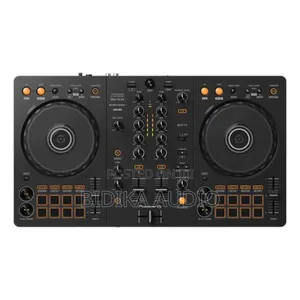
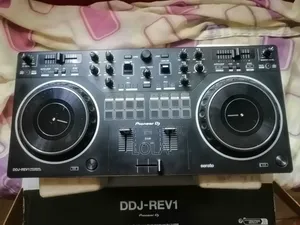
A DJ controller is a hardware device that connects to your laptop and gives you physical control over DJ software. Instead of clicking a mouse to mix tracks, you use jog wheels, faders, knobs, and buttons — just like a club setup, but in a portable, all-in-one package. The controller itself does not play music; it sends commands to software like Rekordbox, Serato, Traktor, or Virtual DJ running on your computer.
Most controllers come with 2 or 4 channels. Each channel controls one audio source (a track, a sample, or a microphone input). Two channels are enough for standard mixing — playing one track while cueing the next. Four channels let you layer multiple tracks, add live samples, or mix from different sources simultaneously. If you are starting out, 2 channels are more than enough.
Jog wheels are the circular platters you use for scratching, nudging tracks, and browsing through songs. Larger jog wheels feel more natural and give you finer control, especially for scratching. Some higher-end models include screens built into the jog wheel that display track information and waveforms.
This is critical. Most controllers are optimized for one specific DJ software:
Many controllers ship with a software licence included, which saves you a significant cost. Check what is in the box before purchasing.
If you are a mobile DJ — doing gigs at different venues every weekend — weight and durability matter. A lightweight controller is easier to transport, but flimsy plastic faders will wear out fast. Metal construction and sturdy crossfaders last longer under heavy use. Consider getting a padded carry case like a DJ equipment bag to protect your gear during transit.
Budget controllers often have only a headphone output and a basic RCA output. For professional gigs, you need balanced XLR or 1/4" TRS outputs to connect directly to a PA system or powered speakers without noise or signal loss. If the controller lacks these, you will need a separate audio interface, which adds cost and complexity.
Look for a compact 2-channel controller that includes DJ software. Focus on learning beat matching, transitions, and basic EQ. You do not need 4 channels, built-in screens, or advanced effects at this stage — they will distract more than help. Brands like Hercules and Numark offer solid entry-level options with built-in tutorials and light guides that teach you beat matching in real time.
Once you are comfortable with mixing, upgrade to a controller with better jog wheels, more effects, and professional audio outputs. At this level, performance pads (for hot cues, loops, and samples) become genuinely useful. Invest in quality DJ headphones too — they make a bigger difference to your mixing accuracy than most hardware upgrades.
For club residencies and large events, you want a full-size 4-channel controller with large jog wheels, high-resolution screens, multiple audio outputs, and a robust build. Pioneer's flagship controllers are the industry standard in most Kenyan clubs, which means your practice at home translates directly to the club setup.
Can I DJ with just a controller and a laptop?
Do I need to buy DJ software separately?
What is the difference between a DJ controller and a DJ mixer?