
Sponsored
Nairobi, Nairobi Central, 1 hour ago
1 views
V380 Wifi Smart Net Camera Easily: Step-by-Step Guide
Store address
Nairobi • Nairobi Central
MFANGANO STREETRWARE BUSINESS CENTRE 4TH FLOOR 404
RWARE BUSINESS CENTRE 4TH FLOOR 404
Closed now
• Mon - Sat, 08:00-19:00
Nairobi • Nairobi Central
MFANGANO STREETRWARE BUSINESS CENTRE 4TH FLOOR 404, RWARE BUSINESS CENTRE 4TH FLOOR 404
MFANGANO STREETRWARE BUSINESS CENTRE 4TH FLOOR 404, RWARE BUSINESS CENTRE 4TH FLOOR 404
Closed now
• Mon - Sat, 09:00-18:00
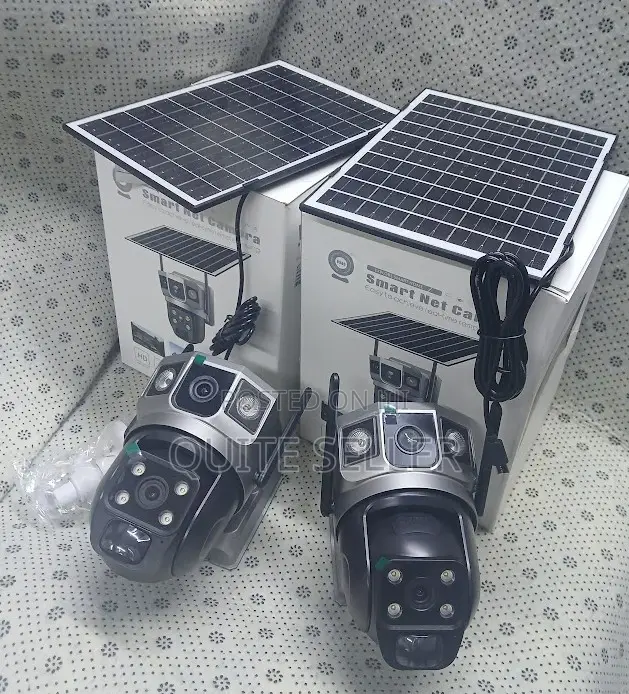
The V380 WiFi Smart Net Camera allows live footage viewing, motion detection alerts, and two-way communication for remote monitoring and enhanced security.
Prior to setting up the camera, ensure you have a stable Wi-Fi connection, the V380 app installed on your smartphone/tablet, and a power source for the camera.
The setup process involves downloading the V380 app, creating an account, powering on the camera, connecting it to Wi-Fi, adding the camera to the app, and positioning it optimally for monitoring.
Safety tips
- Avoid paying in advance, even for delivery
- Meet with the seller at a safe public place
- Inspect the item and ensure it's exactly what you want
- Make sure that the packed item is the one you've inspected
- Only pay if you're satisfied


