
Sponsored
Nairobi, Nairobi Central, 1 hour ago
4 views
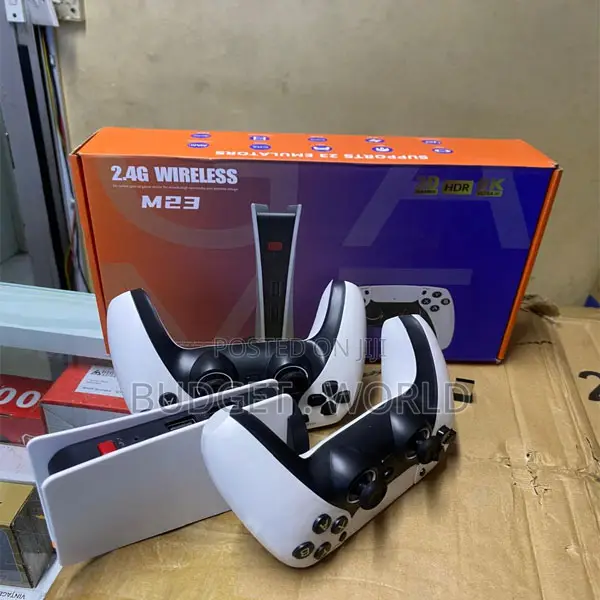
Wireless M23 Gamepad Console – 30,000 Games Built-In
Game Controllers
Type
Other
Brand
Brand New
Condition
No
Exchange Possible
Gamepad
Controller Type
Other
Controller Compatibility
Wireless
Controller Connectivity
【Plug & Play Retro Video Game Console Stick】Simply connect the gamepad to a power source, plug it into your TV, and adjust your TV to the HD channel to display the game list screen. The setup steps are as follows: 1. Connect the HD output of the TV. 2. Insert the included TF game content card. 3. Using the charging adapter to connect the power supply will automatically turn on the console. (2 wireless controllers require 4 AA batteries, not included.)
Safety tips
- Avoid paying in advance, even for delivery
- Meet with the seller at a safe public place
- Inspect the item and ensure it's exactly what you want
- Make sure that the packed item is the one you've inspected
- Only pay if you're satisfied


