
Imefadhiliwa
Nairobi, Nairobi Kati, siku 1 zilizopita
1 maoni
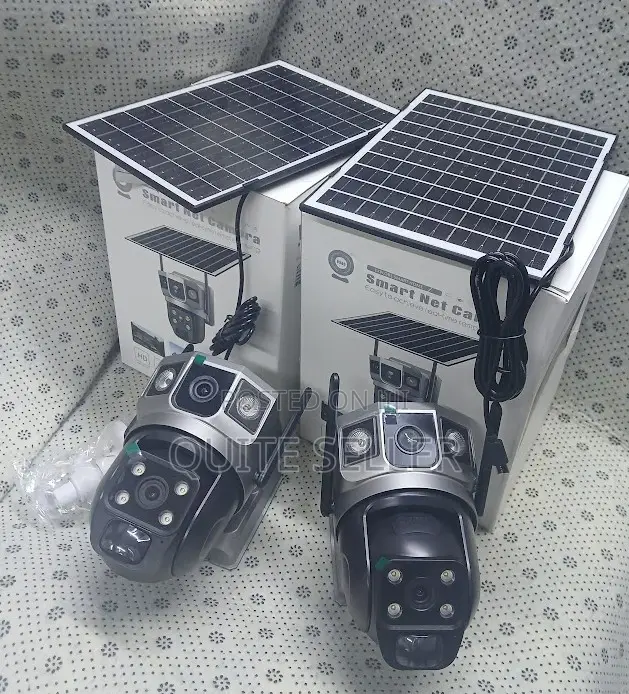
V380 Wifi Smart Net Camera Easily: Step-by-Step Guide
Kamera ya CCTV
Aina
Chapa
Yenye waya au isiyo na waya
Muunganisho
Ndani /Nje ya Nyumba
Matumizi
Chapa Mpya
Hali
Anwani ya duka
Nairobi • Nairobi Kati
MFANGANO STREETRWARE BUSINESS CENTRE 4TH FLOOR 404
RWARE BUSINESS CENTRE 4TH FLOOR 404
Imefungwa sasa
• Jumatatu - Jumamosi, 08:00-19:00
Nairobi • Nairobi Kati
MFANGANO STREETRWARE BUSINESS CENTRE 4TH FLOOR 404, RWARE BUSINESS CENTRE 4TH FLOOR 404
MFANGANO STREETRWARE BUSINESS CENTRE 4TH FLOOR 404, RWARE BUSINESS CENTRE 4TH FLOOR 404
Imefungwa sasa
• Jumatatu - Jumamosi, 09:00-18:00
The V380 WiFi Smart Net Camera allows live footage viewing, motion detection alerts, and two-way communication for remote monitoring and enhanced security.
Prior to setting up the camera, ensure you have a stable Wi-Fi connection, the V380 app installed on your smartphone/tablet, and a power source for the camera.
The setup process involves downloading the V380 app, creating an account, powering on the camera, connecting it to Wi-Fi, adding the camera to the app, and positioning it optimally for monitoring.
Vidokezo vya Usalama
- Usilipe mapema hata kama ni ada ya kusafirishiwa bidhaa
- Kutana na muuzaji mahali salama pa umma
- Kagua kipengee na uhakikishe ni nini hasa unachotaka
- Hakikisha kwamba bidhaa uliyofungiwa ni ile ambayo uliagiza
- Lipa tu ikiwa umeridhika


