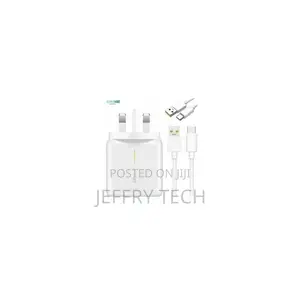
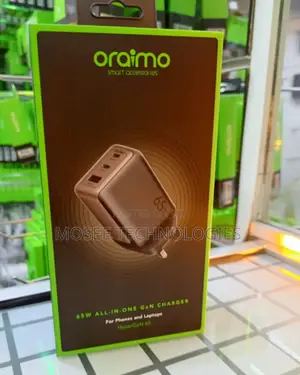
If you own more than a couple of devices, you know the struggle — tangled cables, not enough wall sockets, and phones dying at the worst time. A multi-device charging station solves all of that by letting you power up everything in one spot.
What to Look for When Choosing a Charging Station
- Number of ports — count your daily devices (phone, tablet, earbuds, smartwatch, power bank) and pick a station with at least that many slots. For a family, aim for 6-10 ports.
- Port types — USB-A handles most older devices, but USB-C is becoming the standard for newer phones and laptops. A good station offers both.
- Fast charging support — if your phone supports Quick Charge or Power Delivery, make sure at least one port on the station can deliver higher wattage. Otherwise you are charging at the same slow speed as a basic adapter.
- Wireless charging pad — a built-in Qi pad is convenient for compatible phones. Just drop your device on top — no cable needed.
- Safety features — look for overcharge protection, short-circuit safeguards, and temperature control. Cheap stations without these can damage your battery over time.
Types of Charging Stations
Multi-Port USB Stations
The most common type. They come with 4 to 10 USB ports and often include divider slots to hold phones and tablets upright while they charge. These work well on a desk, kitchen counter, or bedside table. Some models include a mix of USB-A and USB-C ports with varying power output — check that the USB-C port delivers enough wattage for your phone's fast charging to kick in.
Wireless Charging Stations
These combine a Qi wireless pad with one or more USB ports. Higher-end models offer a 3-in-1 layout: a stand for your phone, a flat pad for earbuds, and a magnetic charger for a smartwatch. Keep in mind that wireless charging is slower than wired, and thick phone cases can interfere with the connection.
Portable Power Stations
If you deal with frequent power outages or travel often, a portable power station with multiple outputs is worth considering. These are essentially large power banks with USB, USB-C, and sometimes AC outlets. They are especially practical in areas with unreliable electricity — charge the station when power is available and use it throughout the day.
How to Get the Most Out of Your Charging Station
- Use the cables that came with your devices — cheap third-party cables can limit charging speed or overheat.
- Place the station on a flat, ventilated surface. Charging generates heat, and poor airflow can shorten the lifespan of both the station and your devices.
- If you only need fast charging for one device (like your phone before heading out), plug it into the highest-wattage port and disconnect other devices temporarily — some stations split power across all active ports.
- For wireless charging, remove thick cases or cases with metal plates. These block the Qi signal and either slow charging dramatically or prevent it entirely.